 awthor
Browser-local by default
Books, chapters, character notes, settings, and writing preferences are stored locally, primarily in IndexedDB. You can use the writing workspace without an account.
Local-first · Clear boundaries · No account required
Awthor starts with a simple boundary: your draft stays in this browser unless you choose a feature that crosses it. That makes private writing the default while leaving sync and trusted tool access available when you want them.
What you get
Awthor avoids vague promises. These are the practical boundaries that determine where a manuscript lives, when it can leave the device, and what the writer should still protect.
01
When you create a book, Awthor writes the workspace to browser storage on the current device. IndexedDB holds the main repository; small bootstrap and preference values use local browser storage. The application can be opened and used without an account.
Signing in prepares optional account features, but it is not consent to upload a manuscript. Awthor waits for the writer to choose Sync. After that first explicit sync, later synchronization can run when the local workspace changes, the browser reconnects, or a previously synced workspace is reopened.
02
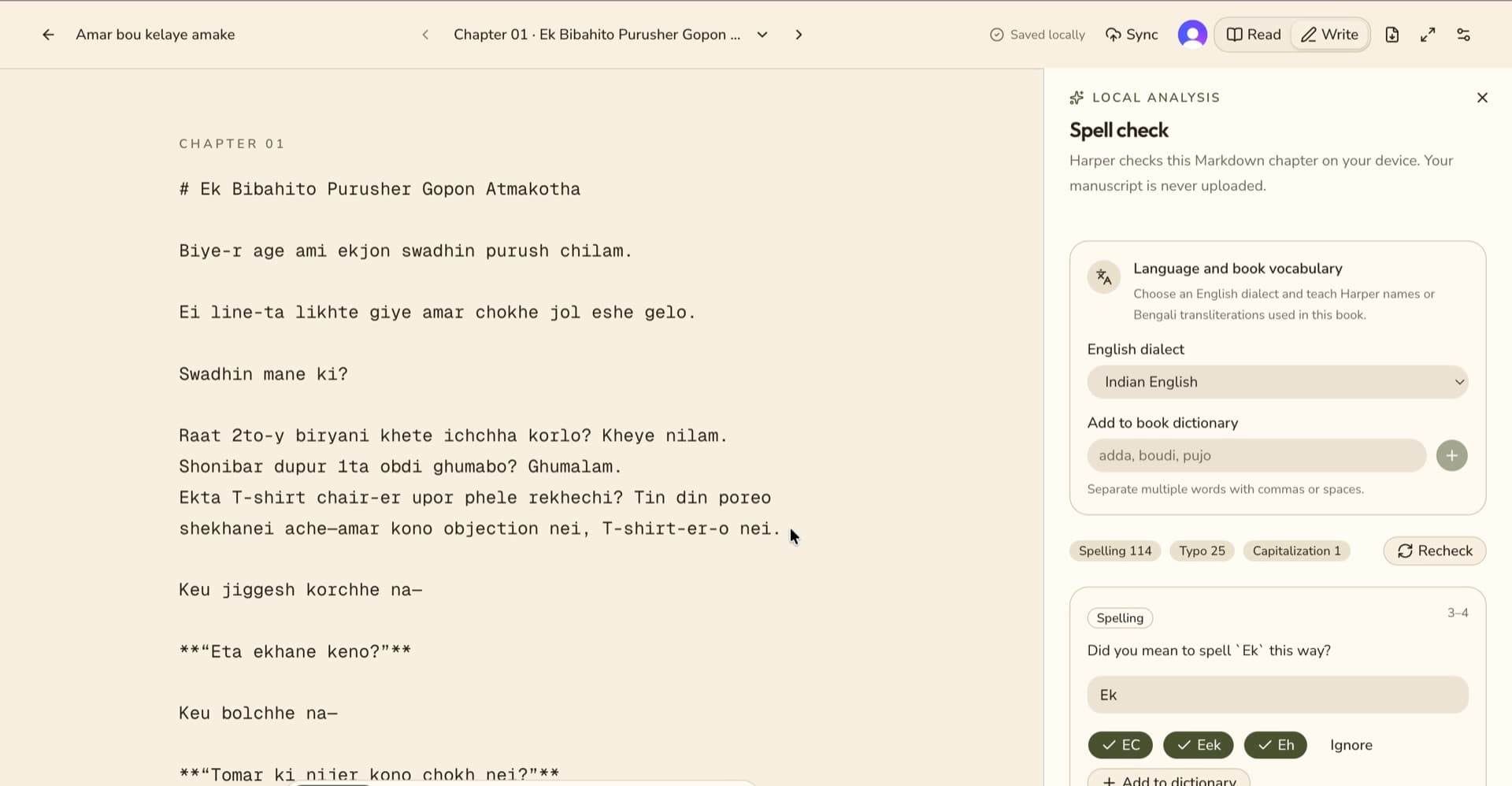
Awthor uses Harper for spelling, grammar, and style suggestions. The proofreading engine runs locally in a browser worker, so the text being checked is not sent to an external proofreading service as part of that workflow.
Suggestions remain suggestions. Writers should review each change in context, especially dialogue, invented terms, historical language, and intentional fragments. Local processing improves the privacy boundary; it does not make automated feedback infallible.
03
Local-first does not mean indestructible. Browser data belongs to the browser profile and device. Clearing site data, resetting the browser, losing the device, storage eviction, or hardware failure can remove work that exists only there.
Awthor can export a portable workspace backup and reminds writers to make one regularly. A book can also leave the application as combined Markdown, PDF, or EPUB. Keep versioned backup copies outside the browser—ideally in more than one physical location or storage service you trust.
04
Some choices necessarily contact another service. Sync sends selected workspace records to Awthor's configured sync backend. Publishing creates a separate read-only snapshot at an unlisted URL. A cover or manuscript image that points to a remote URL can cause the browser to request that image from its external host.
Awthor also supports browser-scoped WebMCP tools for local actions and an authenticated remote MCP boundary for data a writer has already synced. MCP clients can act with meaningful access, so review their permissions and enable these capabilities only in clients you trust.
Explore Awthor
Review Awthor's AGPL-3.0 code, free feature set, export formats, and contribution path.
Read moreSee how Awthor's focused browser approach differs from Scrivener's mature desktop toolkit.
Read moreTour the library, manuscript views, chapter tools, local backups, and optional sync.
Read moreYour next chapter
No setup ceremony
Begin anywhere
Open Awthor in your browser, create a book, and keep the first draft on this device. No account or payment step stands between you and the page.